


Whether contracts, reports or internal documentation — PDF files are shared and archived on a daily basis. Project A enables the secure anonymization of sensitive content in PDFs and helps to reliably comply with data protection requirements.
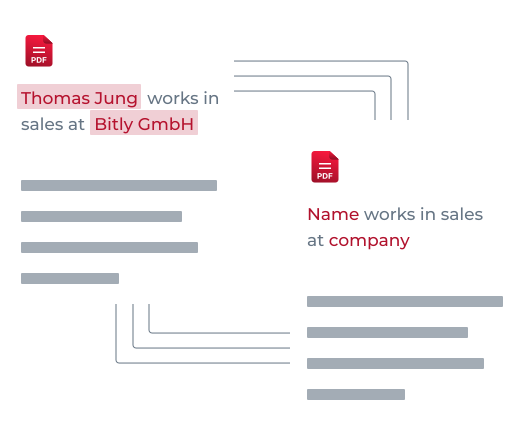
Anonymization means more than simply making passages of text unrecognizable. The aim is to technically remove or change sensitive information in such a way that conclusions can no longer be drawn.
Optical redaction only changes the view. Technical anonymization removes or replaces content at the data level — including text, metadata, and embedded structures. As a result, PDFs remain anonymous even when copied or exported.
Many data protection issues arise not from carelessness, but from incorrect assumptions about the PDF format. What looks visibly redacted can still be technically included.
Black bars or overlaps usually don't remove the original text. Content often remains copyable or can be reconstructed — especially with digital PDFs.
PDFs can include metadata, comments, embedded text, or form layers. These elements are often overlooked and can unintentionally reveal information when shared.
The decision for or against automated PDF anonymization is closely linked to security and scaling requirements.
When PDFs are created, shared, or archived continuously, automation saves time and reduces the error rate.
The higher the requirements, the more important is consistent, rule-based processing instead of manual redaction.
PDFs contain both structured and unstructured information. Reliable anonymization must take both into account.
Typical examples include:
• Names, addresses, and date of birth
• Email addresses
• Telephone numbers
Typical examples include:
• Project or case descriptions in free text fields
• Internal decisions
• Confidential information
PDF anonymization is relevant in many business contexts, particularly when documents are shared internally or with external parties.
Document types with a high density of personal and sensitive information — from application documents to internal reports.
Transferring PDFs to service providers, partners, or authorities requires reliable anonymization instead of manual handling.
For archives, audits or audit-proof filing, PDFs must be permanently anonymized so that subsequent use does not create any risks.
Learn more about data protection or talk to us about a suitable solution for your documents.
Legal details can be found in the overview of data protection and GDPR.
Would you like to learn more about use cases, document types or the use of Project A? Get in touch with us — we will give you individual advice and show you the appropriate next steps.
Receive an offer


