
PowerPoint presentations are frequently used for decision-making, approvals, and external communication. They often contain sensitive information that is not intended for all audiences. This makes it especially important to understand the specific characteristics of presentations and to take them into account during anonymization.


Presentations are visually oriented and are often reused or passed on in different contexts. This increases the risk of content remaining visible that is not intended for all target groups.
Names, figures, or internal notes often appear directly on slides and can be easily overlooked when a presentation is shared with a new audience.
Notes, hidden slides, or auxiliary text remain part of the file and may contain sensitive information, even though they are not visible during the presentation.
Presentations aren't just about text, but also about visual and contextual information that can be hidden in the layout, graphics, or notes.
Removing individual visible elements is not enough. Complete anonymization takes into account all relevant content in slides, notes, charts, and embedded data.
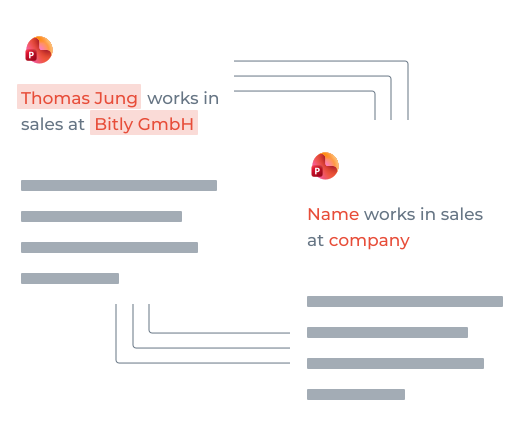
PowerPoint files combine text, graphics, charts, and additional layers of information.
Typical examples:
• Personal information in headings
• Sales, KPIs, or project names in tables
Charts, comment boxes, or embedded data sources can contain sensitive details that should not be visible to recipients.
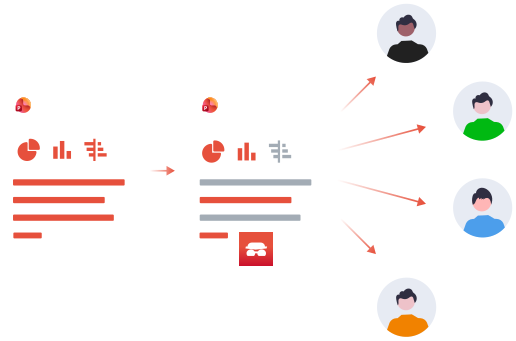
Presentations are frequently reused and tailored to different audiences, making proper anonymization essential to prevent sensitive information from being shared unintentionally.
Presentations circulate between management, teams, and external partners. Content such as confidential figures, internal reasons or references must be removed or abstracted depending on the target group.
When reused, new versions are often created in which sensitive details from previous uses remain unnoticed. This increases the risk of unintentional transfer of information.
These criteria help assess whether manual adjustments are still sufficient or a systematic approach is needed.
When presentations are frequently updated and shared, the risk of outdated or sensitive content being left behind increases. Automation creates consistency.
As soon as many recipients are involved, the effort for manual testing increases. Automated anonymization ensures that all versions are cleanly cleaned.
Explore the topic of anonymization in more formats or talk to us about a suitable solution for your presentations.
You can find out more about the risks and special features of PDFs here.
You can find out more about the risks and special features of Word files here.
Would you like to learn more about use cases, document types or the use of Project A? Get in touch with us — we will give you individual advice and show you the appropriate next steps.
Receive an offer


