
Word documents are one of the most commonly used work formats in companies. Because they can be edited, they often contain more sensitive information than is visible at first glance. This page shows what is important when anonymizing Word files and which special features must be considered.


In contrast to static formats such as PDFs, Word documents are structured differently and store additional information in multiple layers.
Change tracking, comments, and previous versions of text may contain personal or confidential information that is easily overlooked when documents are exported or shared.
Author information, time stamps or internal references allow conclusions to be drawn about people, projects or organizational processes and must be removed in a targeted manner.
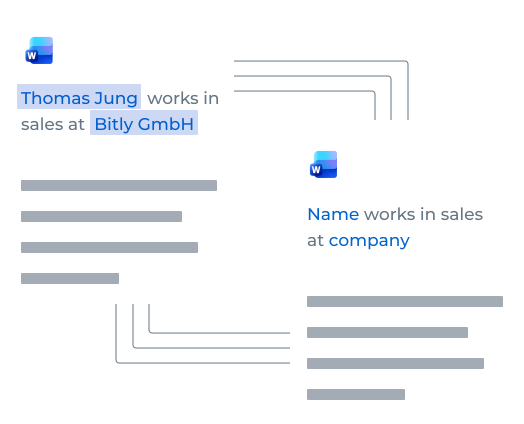
Word files are not just about visible text, but about all content that is stored within the file.
Simply deleting or redacting text doesn't automatically remove comments, tags, or metadata. Complete anonymization looks at all levels of the file and ensures that no sensitive information is left behind.
Word documents combine structured texts, free text fields and additional information.
Typical examples include names, contact details, department-specific information, and internal identifiers such as project numbers.
Side notes, editing notes, or footnotes often contain confidential information and should be checked consistently.
Word files are often shared internally or shared externally before they are finalized.
Drafts and templates often circulate across multiple departments. Sensitive content is easily left behind in comments or change processes.
Before Word files are shared externally, internal notes and responsibilities must be removed so that no conclusions can be drawn.
For reports, studies, or tenders, proper anonymization is essential to ensure that internal editing and review steps do not remain visible in the final document.
The following points help determine whether manual adjustments are sufficient or whether a systematic approach is required.
Recurring processes increase the risk of errors, whereas automated anonymization provides consistency and saves valuable time.
As soon as several people are involved, more comments, versions, and metadata are created. Automation helps to clean them up reliably.
Explore anonymization in more depth across additional formats or talk to us about a suitable solution for your Word documents.
You can find out more about the risks and special features of PDFs here.
You can find out more about the risks and special features of presentations here.
Would you like to learn more about use cases, document types or the use of Project A? Get in touch with us — we will give you individual advice and show you the appropriate next steps.
Receive an offer


